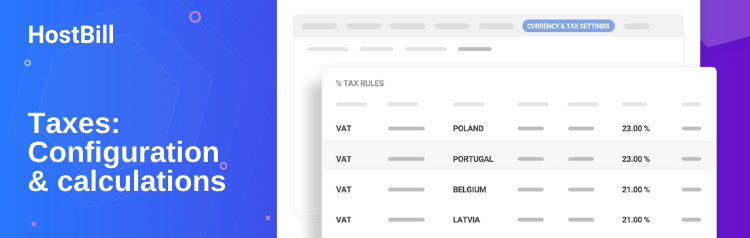
Running a registered business in EU? You probably have some strict invoicing rules to follow – take VAT and its exceptions, or sequential invoice numeration for example. Lets take a quick tour to see how those can be handled with HostBill:
If you’re selling goods or services to company with registered VAT EU number you should not charge tax (A reverse charge). With HostBill you can turn on tax exceptions for such customers – and most importantly – HostBill can do it automatically for you!
Watch how easy is to configure HostBill to do so:
In most EU countries paid invoices are required to have consistent, sequential numeration, unpaid invoices can be treated as Pro-Forma invoices. You don’t need to edit any files in HostBill to fulfill those rules, or have second accounting software for invoices. With two mouse-clicks you can turn on Pro-Forma invoicing and sequential paid invoices numeration – its that simple!
See mentioned two clicks configuration:
Tags: eu, european union, invoices, pro-forma, tax, vatVisit http://wiki.hostbillapp.com/index.php?title=Custom_Modules if you havent already – we’ve finally updated this page with working examples, so it will be easier to understand. Now you’ll be able to see for yourself how powerful HostBill modules can be. Let us know if you need more examples.
And here is little bonus from Geek&Poke – how we love to write documentation here in HostBill:
Tags: developers, tutorialThis post will not be directly related to HostBill itself – but hey – its developers blog!
I’ve recently stumbled upon great tool called Zen Coding – if you’re using HTML in your everyday work – this little fellow can save you a LOT of time – just requires some practice, for ex:
div#page>div.logo+ul#navigation>li*3>a
will be expanded into:
<div id="page"> <div class="logo"></div> <ul id="navigation"> <li><a href=""></a></li> <li><a href=""></a></li> <li><a href=""></a></li> </ul> </div>
Make sure to see it in action:
Tags: developers, help, html, tutorialI though we should put some clarification on that. What manual mode is? If you browse hostbill admin section, you can notice checkboxes on top and bottom of account and domain details screen
I’d like to explain shortly what it does.
Read all entry »
In this short tutorial we will show you how to fast integrate your HostBill installation’s template to match your website’s look and feel. No advanced html/css skills needed – just some copy/paste and we’re done!
Tools needed:
Lets get started!
I’ll be using free html template from http://www.freelayouts.com/ as a original website, so HostBill will match it look and feel at the end. Template i picked: http://www.freelayouts.com/templates/-Green-and-Plain?preview=true.
Tags: easy, hostbill, modification, template, theme