


Sell Ceph S3 storage with automated billing and account management!
This release features the new Ceph S3 Module, enabling seamless provisioning and precise usage-based billing for object storage services, alongside a major upgrade to the Dedicated Servers (Colocation) Manager with advanced cable management and refined user experience with improved 2FA translation support in both admin and client areas!
Ceph S3 module
The HostBill Ceph S3 Module is a comprehensive solution designed to seamlessly integrate Ceph-based object storage with automated billing and account management. It enables providers to accurately charge for cloud storage space by measuring actual usage and billing clients based on the storage they consume, ensuring fair and scalable pricing. The module includes powerful automation capabilities that streamline the entire account lifecycle, allowing for automatic account creation as well as suspension, unsuspension, termination, and flexible resource upgrades or downgrades. From the client perspective, it offers an intuitive interface to manage storage resources efficiently, including the ability to create and remove buckets, manage sub-users, and access S3 API credentials when needed. For administrators, the module provides full visibility and control over billing details, account statuses, and usage metrics, making it easy to monitor metered resources and maintain operational efficiency.
Dedicated Servers Manager – Cable management features
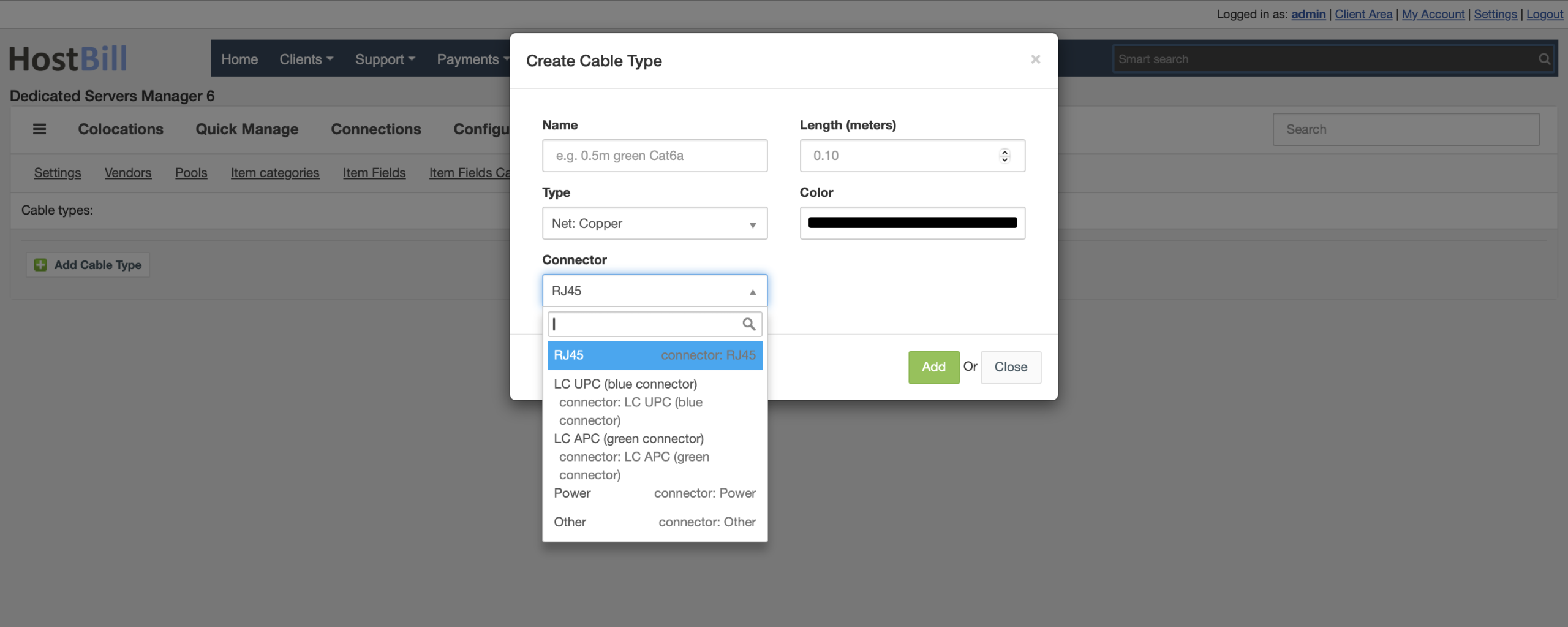
The latest update to the Dedicated Servers (Colocation) Manager module introduces a comprehensive cable management system. A new “Cables” tab has been added to the Configuration section, where administrators can define standardized cable types. Each cable type includes detailed attributes such as name, category (including copper, fiber, power, or other), compatible connector types, precise length (with decimal support), color selection, and integration with Inventory Manager through a dedicated identifier. This structured approach allows providers to maintain a consistent catalog of cables and accurately reflect real-world infrastructure.
A new cable entity has been introduced to represent individual cables within the system, including properties such as type, label, status, and notes. The module now links cables directly to device ports, ensuring that every physical connection can optionally be associated with a specific cable. When creating connections in the user interface, administrators can select an appropriate cable type based on context, such as power cables for PDUs or network cables for NICs. The system automatically creates a cable record when a connection is established and removes it when the connection is deleted, maintaining data consistency without additional manual steps.
The Connections section has been expanded with a dedicated “Cables” subtab that provides a paginated overview of all cables. Each entry includes detailed information about both endpoints, with direct links to the connected devices and ports. Selecting a cable opens a dedicated management view where users can edit its attributes, review connection details, or remove it entirely. During deletion, administrators can choose whether to remove only the cable record or also break the associated connection, offering greater operational flexibility. This view also provides detailed location context for both terminations, including rack position, mounting details, floor, and colocation site, all accessible through intuitive navigation.
To further enhance usability in physical environments, the module introduces QR code generation for each cable. These codes encode a direct link to the cable’s management page and include key identification details such as device and port labels for both endpoints. This enables technicians to label cables physically and instantly retrieve connection details by scanning, significantly improving maintenance efficiency and reducing the risk of errors in complex setups.
In addition to cable management, the update also improves connection visibility by enhancing the default connection string. Instead of displaying only endpoint labels, connection descriptions can now include location context, allowing users to quickly identify where connected devices are physically located without needing to navigate into each item.
Together, these enhancements transform the Colocation Manager into a more powerful and infrastructure-aware solution, bridging the gap between logical management and physical data center operations.
Release notes
Additionally, in this release we’ve added missing translations for Multi-Factor Authentication (2FA) module notifications in both the admin panel and client area, ensuring a more consistent and localized user experience when informing users about enabled security features. Additionally, a new “Geolocate IP” tab has been introduced within the Geolocation section, allowing administrators to quickly check detailed information about any IP address directly from the interface. This enhancement streamlines troubleshooting, security checks, and network management by providing instant access to geolocation data without the need for external too