

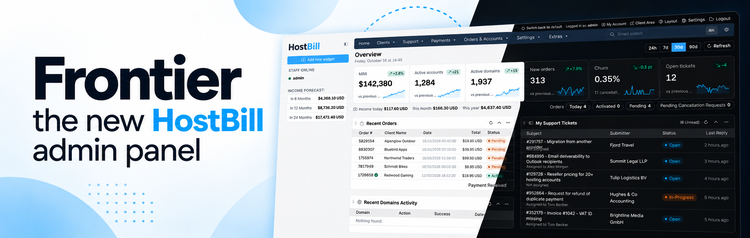
Meet Frontier: the new HostBill admin panel
We’re excited to introduce Frontier – the new HostBill admin panel, designed to make everyday management faster, easier, and more intuitive. Built on Bootstrap 5, Frontier brings a modern, fully responsive interface, dark mode, smarter navigation, improved dashboards, and redesigned workflows across the entire admin area
A Modern Interface built for everyday efficiency
Frontier is more than a visual refresh. We’ve revisited virtually every section of the HostBill admin area, introducing improvements that simplify navigation, streamline daily operations, and help your team work more efficiently. The new interface offers three layout options, allowing every staff member to choose their preferred working environment:
- Frontier: A modern, spacious layout featuring rounded cards, updated icons, and improved readability.
- Frontier Condensed: The same modern design with a more compact layout, displaying more information on each screen.
- Legacy: A familiar appearance that preserves the colors, fonts, and density of the previous admin theme.
Switching between layouts takes just one click from the admin header.
Frontier also introduces dark mode, available throughout the admin panel, including tables, forms, charts, and dialogs. You can switch between light and dark modes instantly, with your preference remembered by the browser.
Built on Bootstrap 5.3, Frontier also includes a compatibility layer designed to keep existing plugins and modules developed for the previous interface working.
Smarter Search and faster navigation
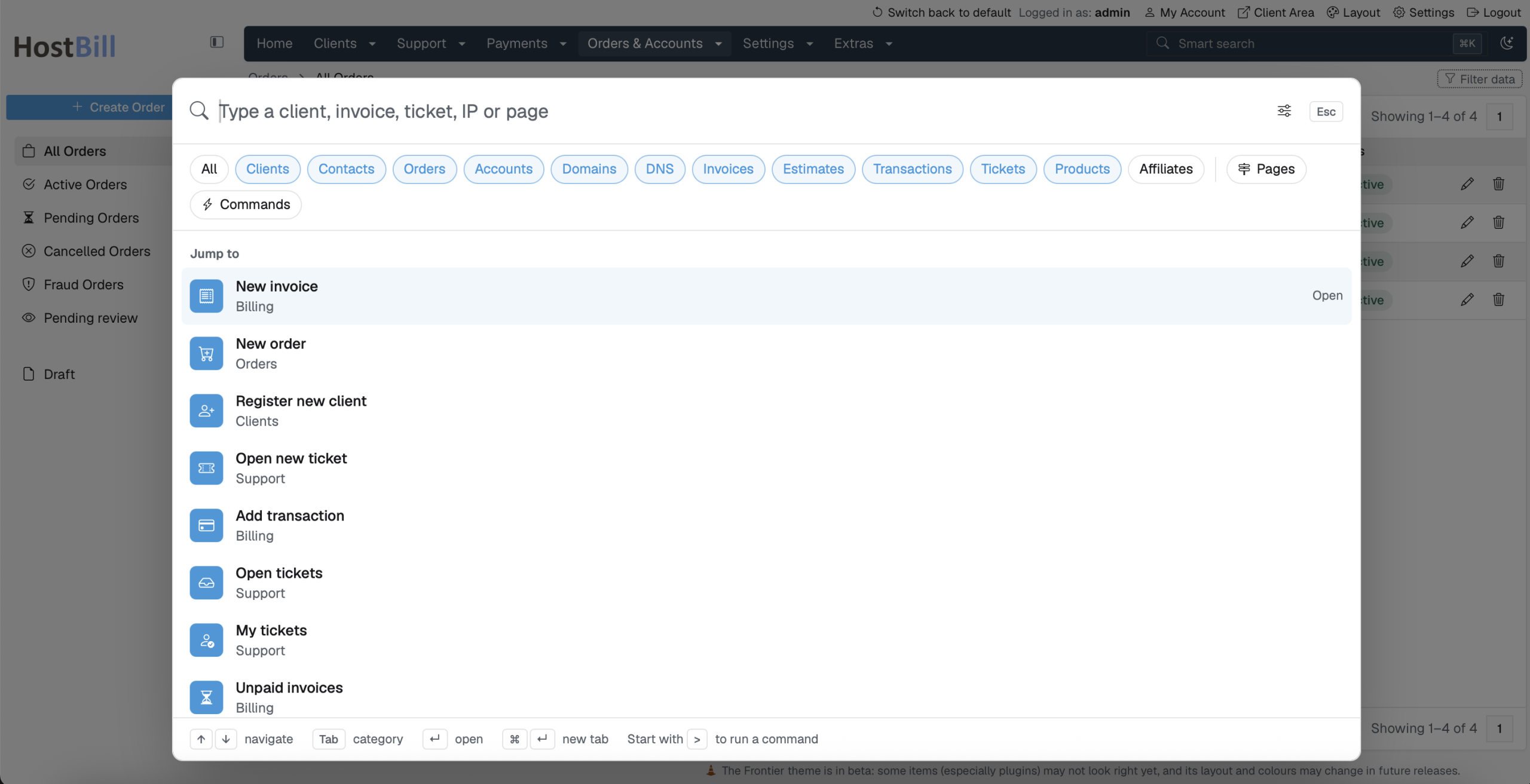
Finding the information you need is now easier than ever. Frontier introduces an enhanced Smart Search, accessible from any admin page using Ctrl + K or ⌘ + K. Instead of navigating through multiple menus, administrators can quickly search for clients, services, domains, invoices, tickets, and admin pages, or execute commands directly from the search interface. The new search experience is fully keyboard-friendly, with shortcuts for switching between categories, navigating results, and opening selected items. We’ve also improved navigation throughout the admin panel. Configuration pages now feature convenient vertical menus, while the redesigned settings search helps administrators quickly locate and highlight specific options.
A More powerful Dashboard with KPIs at a glance
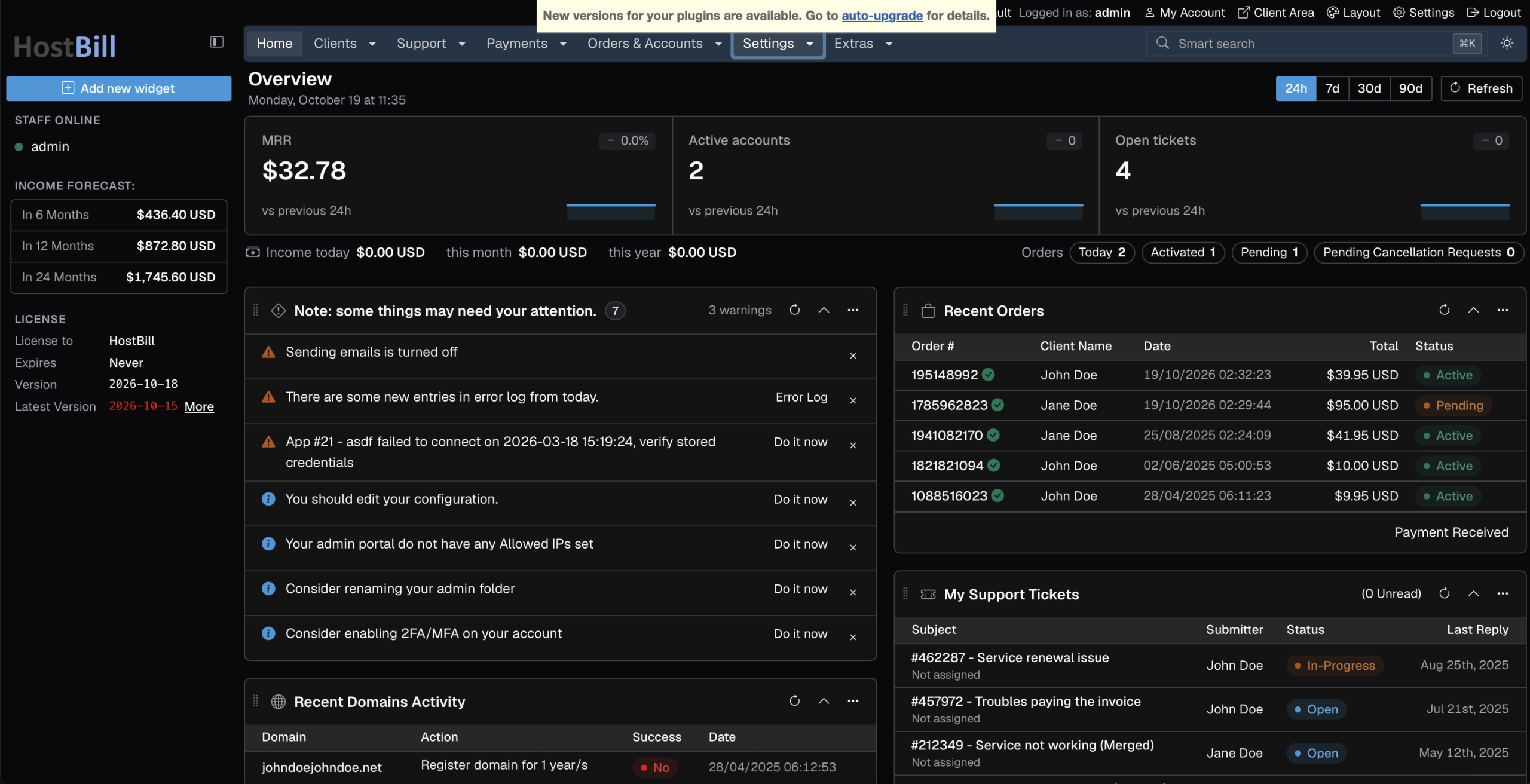
The redesigned HostBill dashboard puts essential business information front and center. With Frontier, administrators can instantly monitor key performance indicators, including Monthly Recurring Revenue (MRR), Active accounts and domains, New orders, Customer churn, Open support tickets and more. Each KPI includes a trend line and comparison with the previous period, making it easier to identify changes and monitor business performance. You can switch between different reporting periods – the last 24 hours, 7 days, 30 days, or 90 days – and interact with the charts to explore individual values.
Dashboard widgets remain customizable, allowing you to drag, collapse, and refresh them to create a workspace that suits your daily responsibilities.
Fully responsive – manage your business from anywhere
Frontier brings a fully responsive experience to the HostBill admin panel. Whether you’re working on a large desktop monitor, laptop, tablet, or smartphone, the interface automatically adapts to your screen size. Menus, sidebars, tables, and controls adjust to provide comfortable navigation and usability across devices. Need to approve an order, respond to a support ticket, or check your latest revenue while away from your desk? Frontier makes it easier to handle essential administrative tasks on the go.
Dark mode and all three layout options are available on mobile devices as well.
Redesigned screens and improved workflows
Beyond the dashboard and navigation, Frontier introduces significant improvements to many of the admin pages you use every day.
Support ticket management now features a redesigned conversation view, making communication easier to follow. Client messages, staff replies, and internal notes are visually distinguished, while attachments, pinned or sensitive replies, and long quotations are presented more clearly.
Task list management provides a better overview of automation processes. Administrators can quickly identify healthy, overdue, stuck, failed, or disabled tasks, with live counts and convenient actions for running, editing, or disabling individual tasks.
Statistics and reports have also received an update, allowing staff members to pin their preferred statistics and create personalized reporting overviews.
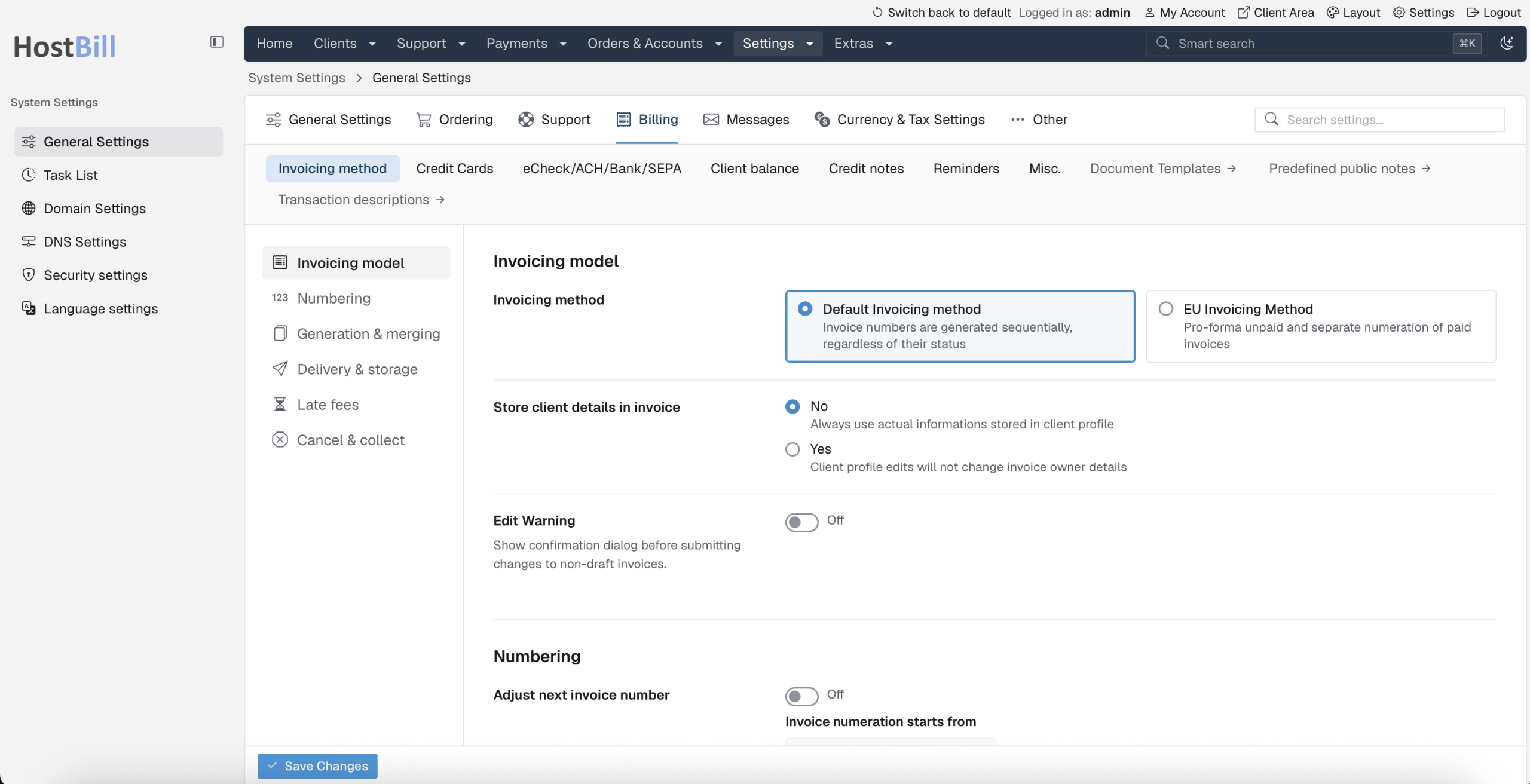
Configuration and security settings benefit from improved navigation, searchable options, and clearer permission management. API key permissions and staff privileges are organized by area, making them easier to review and manage.
We’ve also refined client, invoice, service, product, and administrator detail pages, along with plugin management, app connections, email templates, and other frequently used sections.
New ready-made Email designs
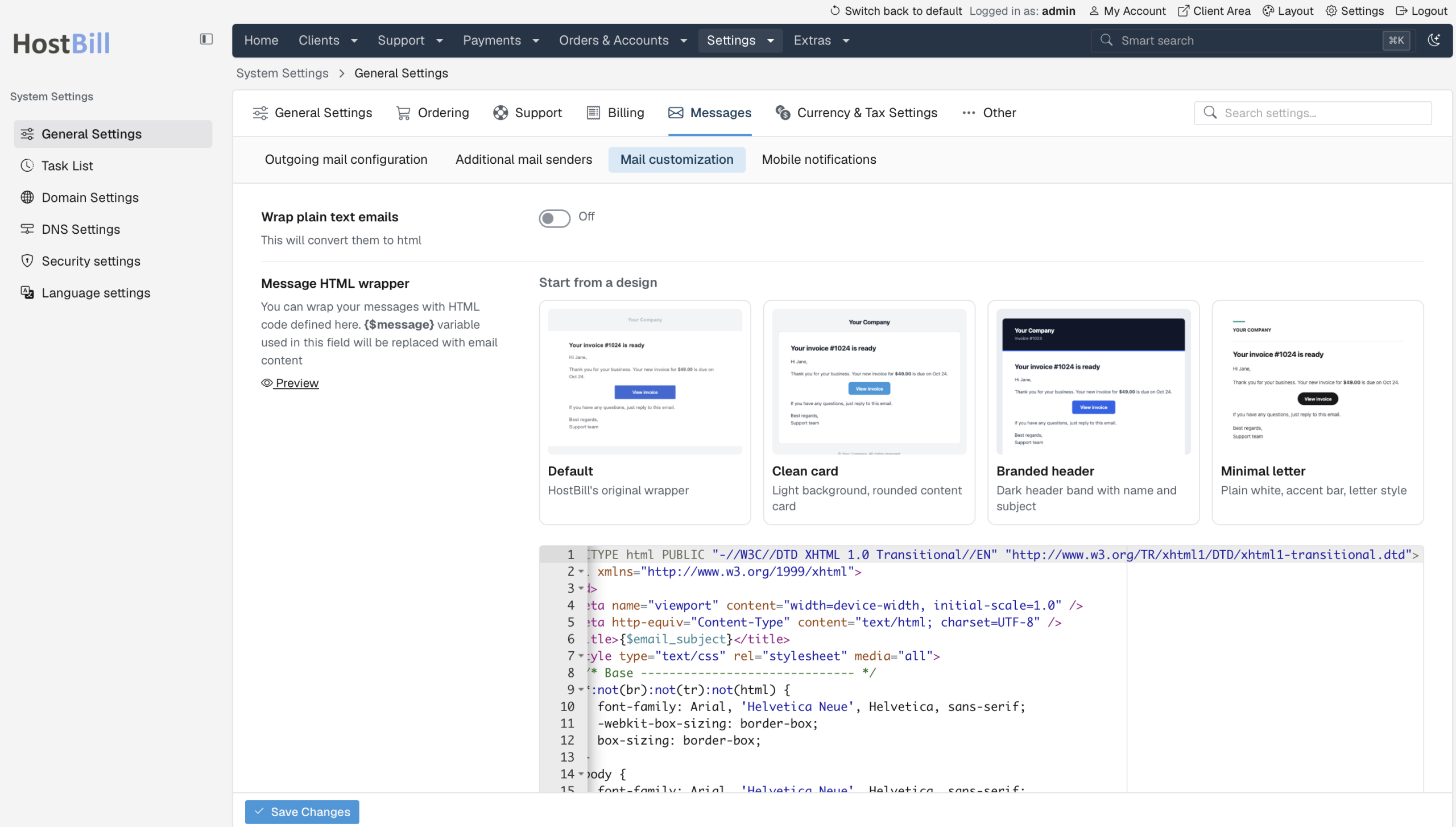
Frontier also brings improvements beyond the admin interface itself. We’ve introduced four ready-made email wrapper designs to help you create polished, professional-looking client communications with minimal effort:
- Default: The original HostBill email wrapper.
- Clean Card: A modern design with a light background and rounded content area.
- Branded Header: A distinctive dark header displaying the message name and subject.
- Minimal Letter: A clean, letter-inspired design with a subtle accent bar.
These mobile-friendly, email-compatible templates are available under Settings → Messages → Mail customization. Simply select your preferred design to load it into the HTML wrapper editor, where you can further customize it to match your brand.
Hundreds of small improvements that make a difference
Some of Frontier’s most useful enhancements are found in the smallest details. We’ve introduced improved form layouts, clearer labels, more consistent dialogs, updated date pickers, and intuitive toggles throughout the admin area. Password fields now offer convenient options to display, copy, or generate strong passwords that follow your configured password policy. Module settings can be opened in focused modal dialogs, allowing administrators to configure payment gateways, domain modules, and other integrations without losing their place. Email template management, translations, resource navigation, and installation workflows have also received attention.
These are just a few examples. Virtually every section of the HostBill admin panel has been improved in some way, and there are plenty of smaller enhancements waiting to be discovered as you explore Frontier.
Try Frontier today – now available in Open Beta
Frontier is available to all HostBill users starting with HostBill 2026-10-19.
As the new interface is currently in beta, you can explore it at your own pace while continuing to use the existing admin theme. Frontier will eventually become the default HostBill admin interface, with add-on module screens receiving further visual updates before the beta period ends.
Getting started is simple:
- Update HostBill to version 2026-10-19 or later.
- Preview Frontier by clicking the “New admin look available: preview this page” notification at the top of your admin area.
- Make Frontier your default admin theme under Settings → General Settings → Other → Admin Area template.
You can switch back to the previous interface whenever you need to, and your existing settings and data remain unchanged.
Frontier marks a new chapter in the HostBill admin experience – combining a modern design with familiar workflows, improved usability, and greater flexibility.
We encourage all HostBill users to explore the new interface, discover the improvements, and share their feedback as we continue refining Frontier.
Update HostBill, try Frontier today, and experience a smarter way to manage your business!